Family Offices, Holdcos, Fractional CFOs & Multi-Client Firms
Your Custom Reporting. Every Entity. Always Current.
New Xero is live. Mix QuickBooks Online and Xero entities under one login.
Build the exact Excel and Google Sheets reports QuickBooks can't, consolidated across every entity, refreshed daily, drillable to the transaction. No exports. No copy-paste.





QuickBooks Reports Weren't Built for Your Entities
- Spending reporting season rebuilding the same workbooks across every entity?
- Consolidating 5, 15, 30 entities by exporting each one, every month?
- Forcing your reporting into QuickBooks' canned formats?
- Maintaining a fragile master spreadsheet that breaks every close?
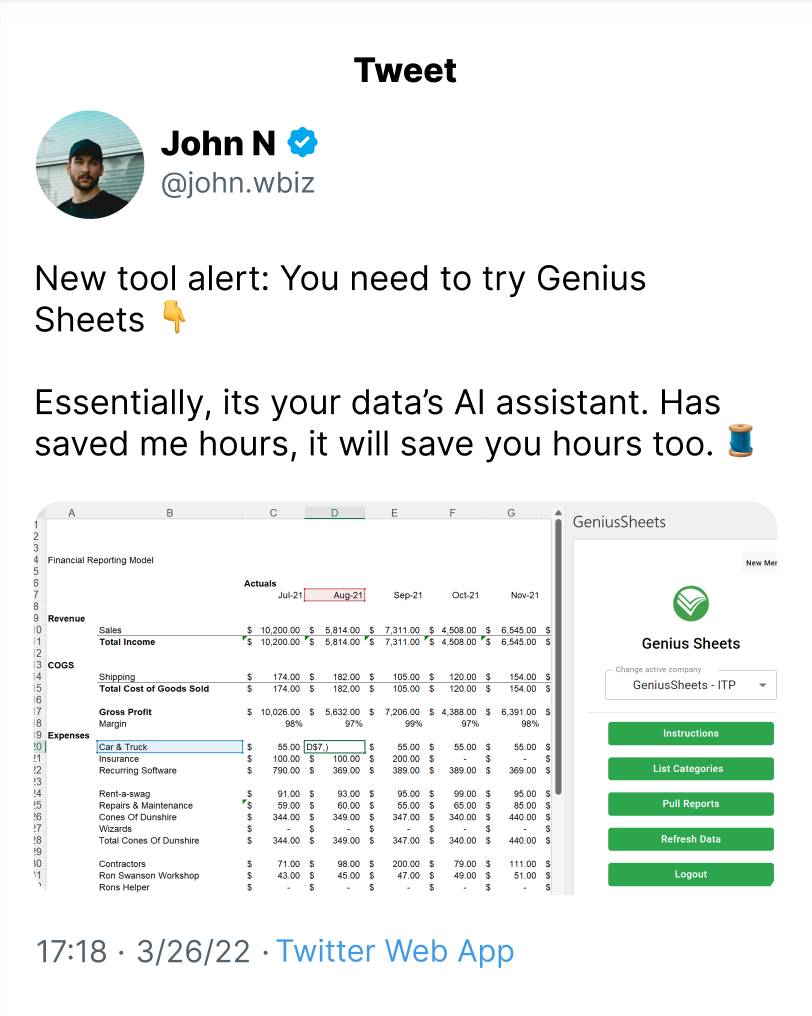
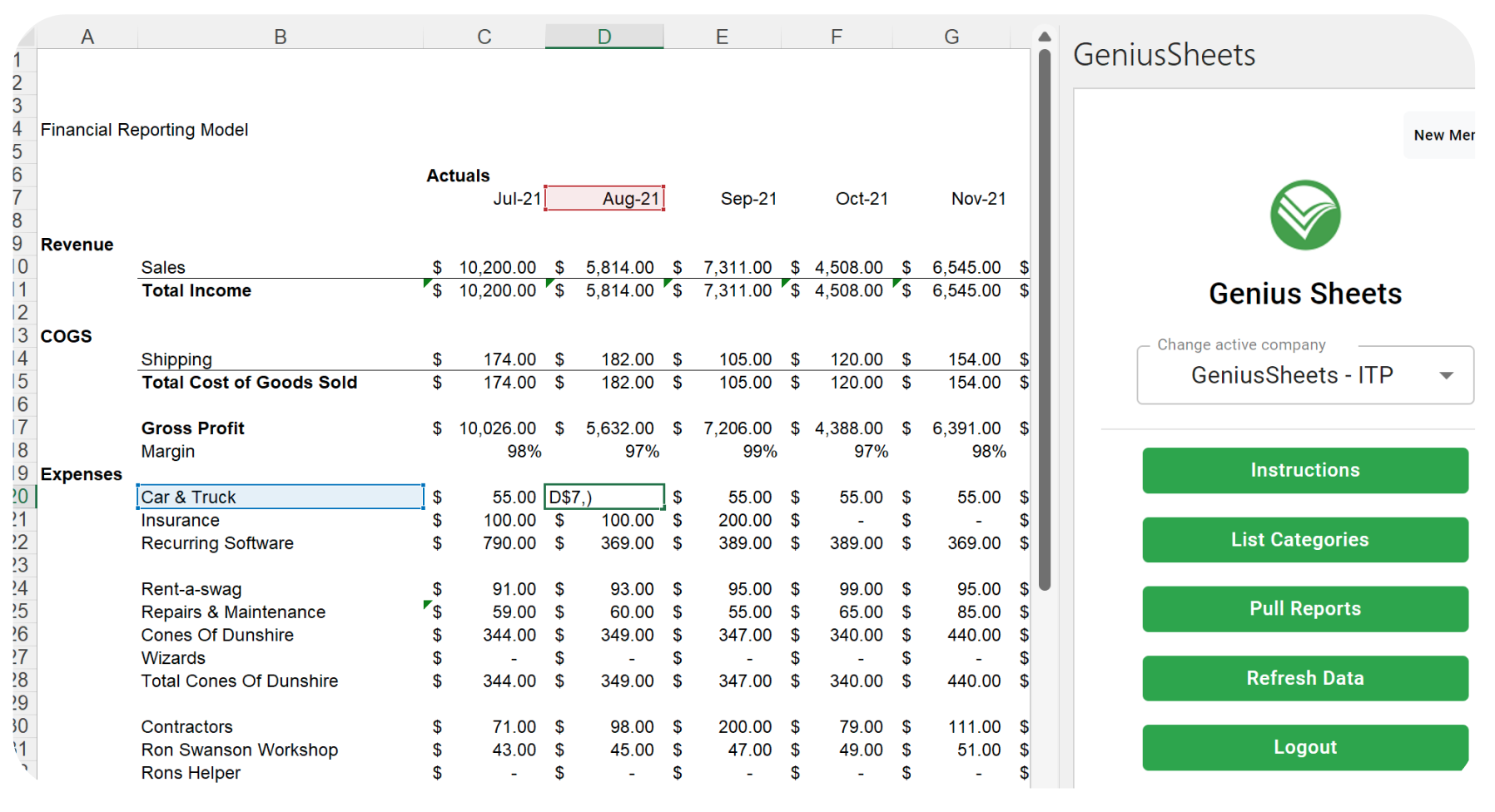
Build the Workbook You Actually Need
Simple formulas (GS.IS, GS.BS, GS.CF) pull live financials into any cell. So your house formats stay yours:
- Consolidated reporting across every entity
- Prior-year comparisons with variance, in your layout, not a canned template
- Budget vs actual with variance $ and %, built from your QuickBooks budgets
- Management report packs in your own format
- Entity and property-level rollups
- Drill from any number to the transaction behind it

"Genius Sheets is incredible. Updating models in Google Sheets or Excel to provide strategic advice is literally 1/3 of what I do, and this product has cut the time I spend doing this way down! Amazing ROI for any accountant."

Built Specifically For Finance Professionals
Tools built to make financial analysis and reporting effortless.
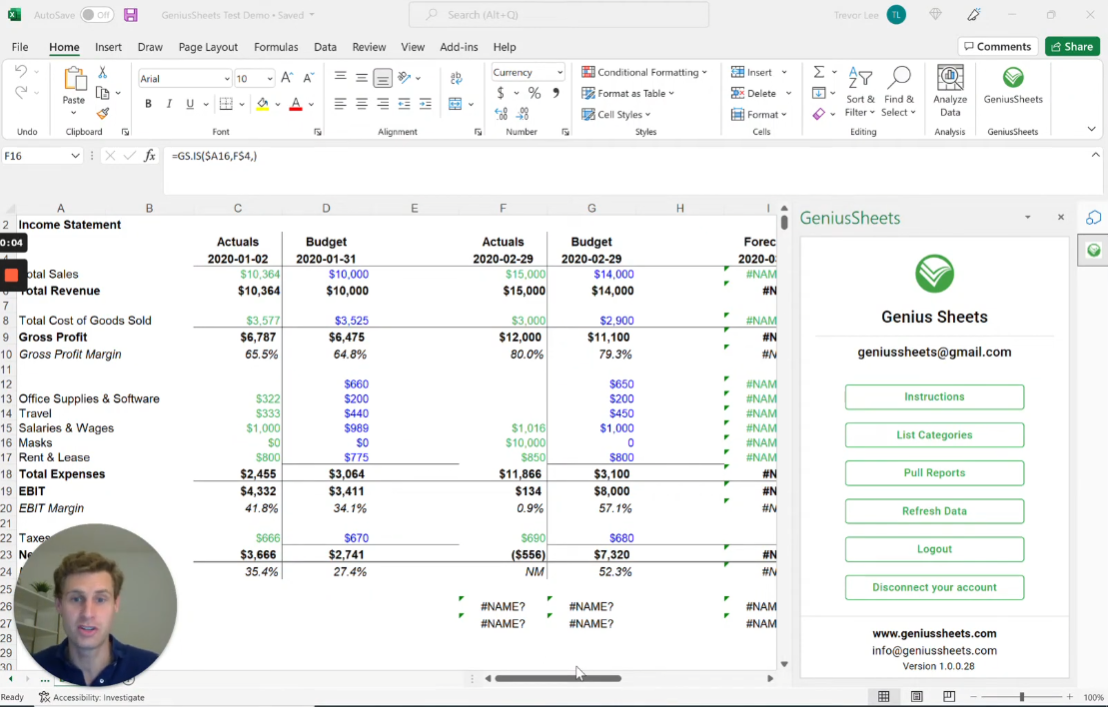
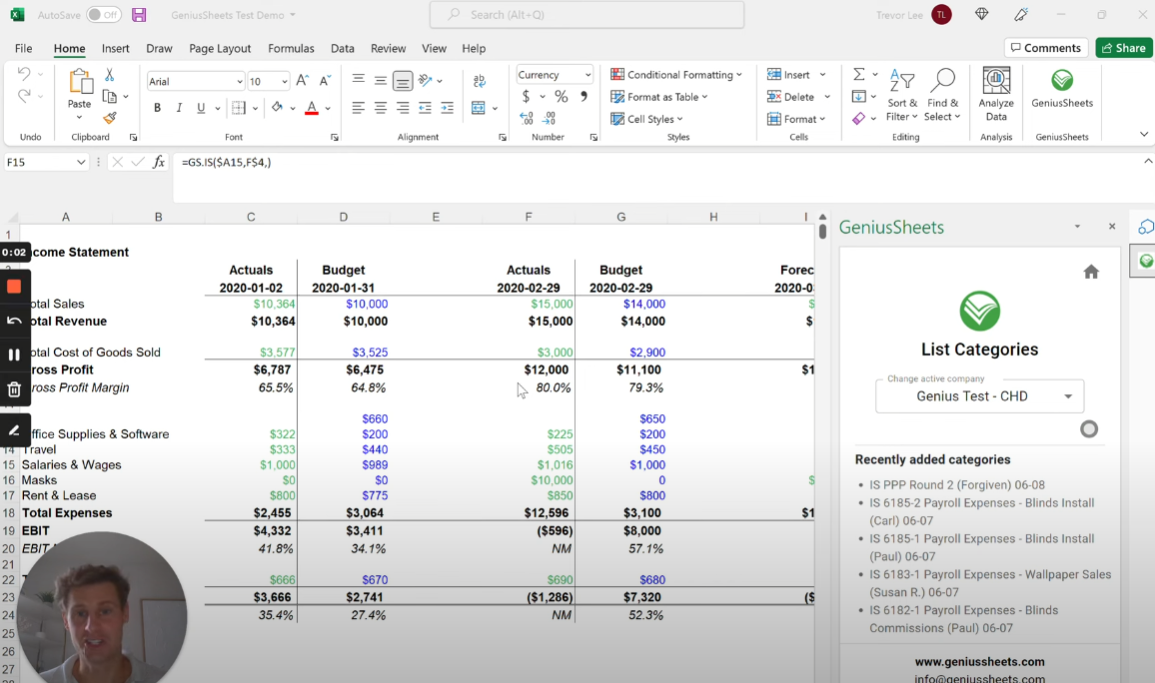
Native Integrations
Direct connections to QuickBooks Online and Xero, delivered straight into Excel and Google Sheets. No middleware, no exports.

A Real Financial Warehouse
Transaction-level data, refreshed daily across every entity. Your reports recalculate themselves, so you stop chasing numbers.
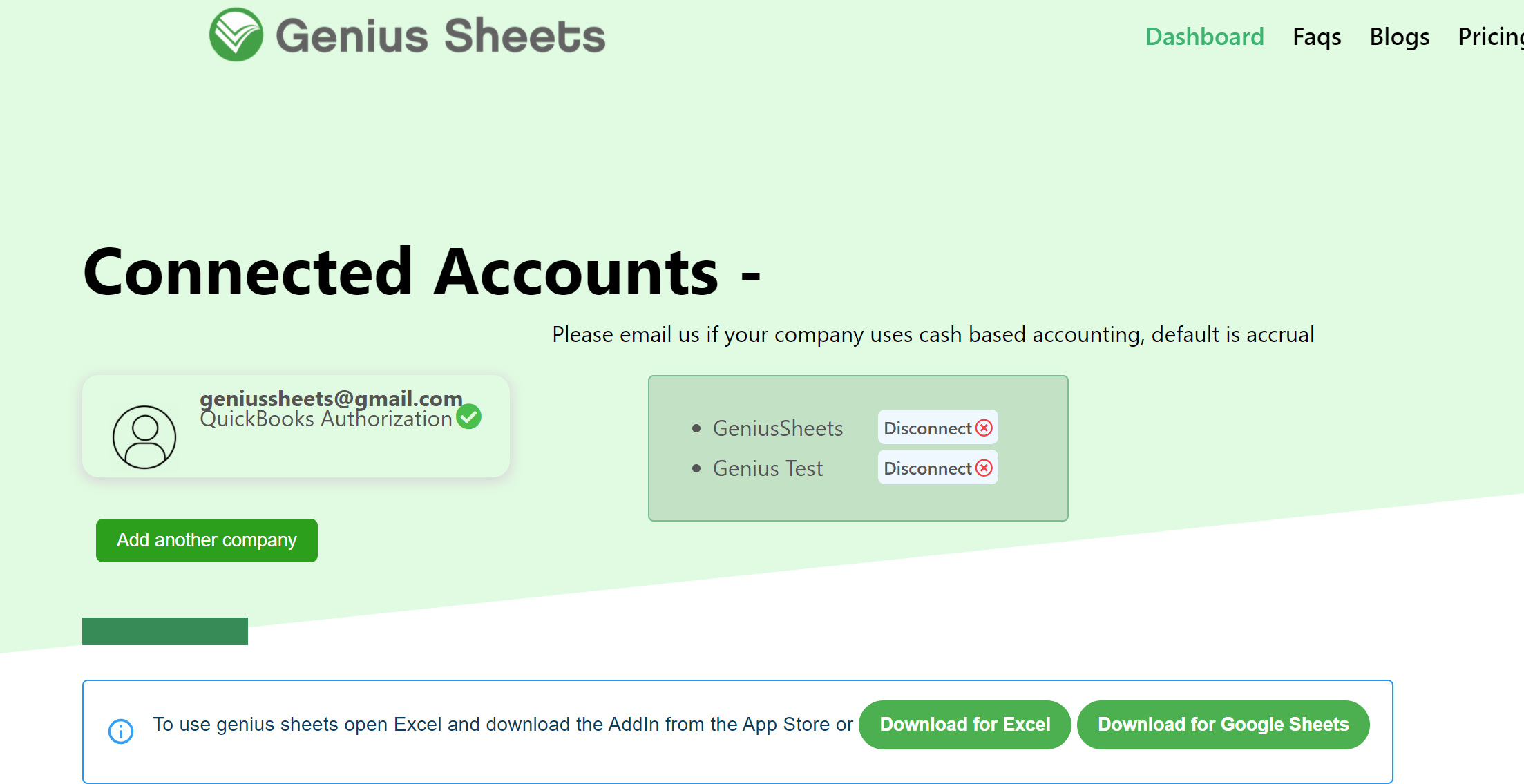
Unlimited Entities, One Login
Connect every QuickBooks and Xero file (operating companies, properties, funds, clients) under one login. Adding entity #30 is as easy as #1.
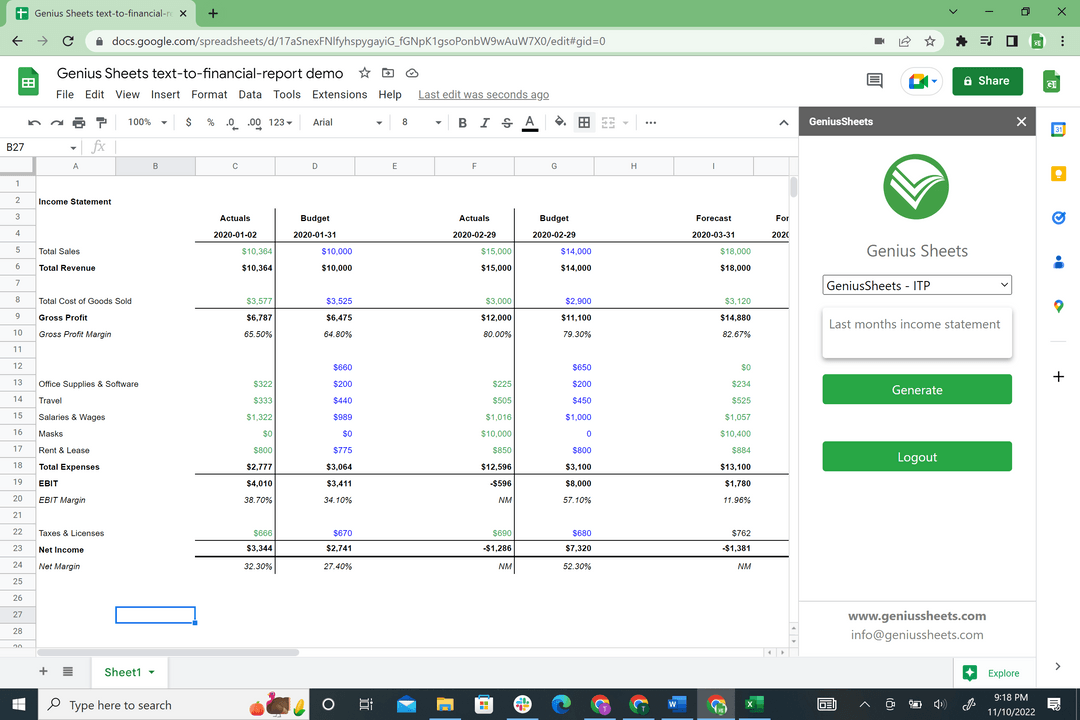
Get Started in 3 Steps
Start Your Free Trial
Pick a plan and complete a short onboarding questionnaire.

Install Our App
Install our app within Excel or Google Sheets, and grant access to your QuickBooks or Xero account for instant access to your financial data.

Get Financial Clarity
Pull automated reports and build custom formulas, always accurate, always current.
What Our Users Say
"Updating models in Google Sheets or Excel to provide strategic advice is literally 1/3 of what I do, and this product has cut the time I spend doing this way down! Amazing ROI for any accountant."
"We can now do in sheets with fewer steps, more dynamic data loads, and gain time back while delivering information needed for shareholders and other parties."
"Now let's talk about @GeniusSheets. All I can say about it is that it's... genius!"
Simple, Transparent Pricing
Starter
One user, one QuickBooks or Xero connection
$10/mo for additional users
Get Started- Live Data Connection
- 20 Queries per month
- 20 Category Filters per month
- QuickBooks & Xero Integration
Business
One user, up to 5 QuickBooks or Xero connections
$10/mo for additional users
Get Started- Live Data Connection
- Unlimited Monthly Queries
- Consolidated Reporting
- Unlimited Category Filters
Enterprise
Family offices, holdcos & firms managing many entities
Custom pricing based on entities and seats
Book a Demo- All Your QuickBooks & Xero Entities
- Consolidated Multi-Entity Reporting
- Unlimited Queries
- Custom Report Buildout With Our Team
- Priority Support
Frequently Asked Questions
Everything you need to know before getting started.
As many as you manage. Enterprise plans connect every QuickBooks Online and Xero file under one login, and you can mix the two freely.
Yes, a two-week free trial with up to 2 connections, no credit card required. Upgrade anytime from your account.
Yes. Connect Xero organizations the same way you would a QBO file, on every plan.
Cancel anytime. Manage your plan from your account, or email info@geniussheets.us.
Connect QuickBooks or Xero from your dashboard, install the Excel or Google Sheets add-in, and start pulling live data. See the quickstart guide for a walkthrough.
Almost always because more than one Google account is signed into the same browser. The permission pop-up gets approved under a different account than the one your spreadsheet is open in, so the approval never takes and the prompt returns. Open the workbook in an Incognito window signed in with only your Genius Sheets account to confirm, then give that account its own Chrome profile. Full steps are in the Google Sheets authorization guide.
A blank or zero means the formula ran but found no account matching that name. The usual causes are a company with account numbers enabled in QuickBooks (accounts come through as 4100 Food Sales, not Food Sales), or a workbook built for a different entity with a different chart of accounts. Use List Categories to copy the exact names for the company you have selected — see the full explanation.